What Is HEIF/HEIC? Apple's Format Explained
Understand the HEIF and HEIC image formats used by Apple devices. Learn why iPhones use HEIC, how to convert to JPG, and when to keep the original format.
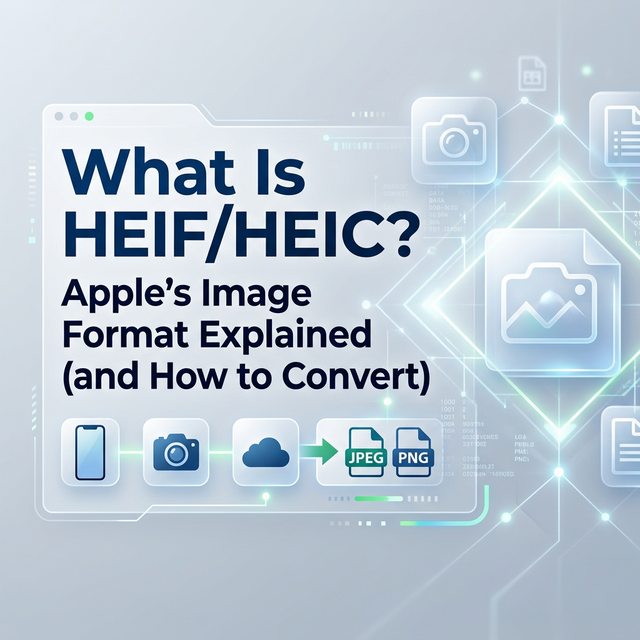
What Is HEIF/HEIC?
HEIF (High Efficiency Image Format) is a modern image format that Apple adopted for iPhones starting with iOS 11 in 2017. When Apple uses HEIF with HEVC compression, the resulting files have the .heic extension.
Why Apple Chose HEIC
The benefits are significant:
- 50% smaller file sizes compared to JPEG at equivalent quality
- Better colour depth — supports 16-bit colour vs JPEG's 8-bit
- Live Photos support — stores image and video in one file
- Depth information — preserves Portrait Mode depth data
- Image sequences — burst photos stored efficiently in one file
- Non-destructive editing — edits stored separately from original data
- Social media: Most platforms accept HEIC but may re-encode
- Email: Some email clients can't display HEIC inline
- Older software: Photoshop versions before CC 2020 don't support HEIC
- Web browsers: Chrome and Firefox support HEIC; older browsers may not
- Printing services: Many still require JPEG or PNG
- Go to Settings > Camera > Formats
- Select "Most Compatible" to shoot in JPEG
- Open in Preview > File > Export > choose JPEG
- Or use the built-in Quick Actions in Finder
- Install HEIF Image Extensions from the Microsoft Store
- Open in Photos app > Save as > JPEG
- Use our free File Converter to convert HEIC to JPG, PNG, or WebP instantly in your browser — no upload to external servers required
- Storage matters — HEIC saves 50% space
- You edit photos — non-destructive editing preserves quality
- You have Live Photos — conversion loses the video component
- Archival — HEIC preserves more image data than JPEG
- Sharing with non-Apple users — guaranteed compatibility
- Uploading to older websites — some CMS platforms don't accept HEIC
- Professional printing — many print services require JPEG or TIFF
- Email attachments — ensures recipients can view photos
HEIC vs JPEG Comparison
| Feature | HEIC | JPEG |
| Compression | ~50% smaller | Baseline |
| Colour depth | 16-bit | 8-bit |
| Transparency | Yes | No |
| Animation | Yes | No |
| HDR support | Yes | Limited |
| Compatibility | Growing | Universal |
| Editing | Non-destructive | Destructive |
Compatibility Challenges
Despite its advantages, HEIC can cause problems:
How to Convert HEIC to JPG
On iPhone
When sharing via email or messages, iOS automatically converts to JPEG. You can also:
On Mac
On Windows
Online
When to Keep HEIC
Don't convert everything to JPEG blindly. Keep HEIC when:
When to Convert to JPEG
Convert to JPEG when:
Disclaimer
File format support varies by device and software version. Always verify compatibility with your specific tools and platforms.
Free File Converter
Convert images, audio, video, and documents in your browser — no upload, no sign-up, completely private.

Andrew
·Founder of ConvertzBuilding free, accurate conversion tools for everyone. All content is AI-assisted and editorially reviewed for accuracy. Learn more about Convertz
Try Our Free Converters
Convert currencies, cryptocurrencies, units, and files instantly with our free online tools.
Related Articles

The End of Financial Privacy? Programmable Money and Who Controls Your Cash
Digital money can be tracked, controlled, and frozen in ways physical cash never could. As CBDCs, stablecoins, and programmable payments replace cash, who gets to watch — and who gets to decide what you can spend? The privacy battle behind the future of money.
When Software Becomes the Customer: Inside the AI-Agent Economy
For all of history, every transaction had a human on at least one end. In 2026 that ended — AI agents now shop, negotiate, and pay on their own. Here is how the machine economy works, who is racing to build its payment rails, and what it means for you.

Gold Just Beat US Treasuries — The Hard-Asset Side of the New Money System
For the first time since 1996, the gold held by foreign central banks is worth more than their US Treasury holdings. As money goes digital, the world is quietly re-anchoring to hard assets — gold, silver, copper, uranium. Here is the resource story behind the financial revolution.
Related across Convertz
Country guides, key terms, and rate history that connect to this article.
Glossary
- Mid-Market RateThe mid-market rate is the midpoint between the buy (bid) and sell (ask) price of a curren…
- Dynamic Currency Conversion (DCC)Dynamic Currency Conversion (DCC) is a service offered at point-of-sale terminals and ATMs…
- IBAN (International Bank Account Number)An IBAN is a standardized international format for bank account numbers, used across 80+ c…