How to Convert Video to GIF: Complete Step-by-Step Guide
Learn how to convert video clips to GIF format. Create animated GIFs from MP4, AVI, and other video files for social media and messaging.

Why Convert Video to GIF?
GIFs are everywhere - social media, messaging apps, forums, and emails. They're the perfect way to share short, looping moments.
Common Uses:
- Reaction GIFs for messaging
- Social media content
- Tutorial demonstrations
- Highlighting video moments
- Memes and humor
- Upload Your Video
- Select GIF as Output
- Download Your GIF
- Trim video to just the part you want
- Shorter clips = smaller files
- Ideal length: 2-6 seconds
- 5-second GIF: 2-10 MB
- 10-second GIF: 5-20 MB
- Longer: Can exceed 50 MB
- Keep GIFs under 6 seconds
- Loop the essential moment only
- 480p is usually sufficient
- 720p for higher quality needs
- Avoid 1080p+ (huge files)
- 15 fps looks smooth enough
- 10 fps for very small files
- Avoid 30+ fps (unnecessary)
- GIFs support max 256 colors
- Simpler scenes compress better
- Max size: 15 MB
- Recommended: Under 5 MB
- Plays automatically in feed
- Max size: 8 MB (free), 50 MB (Nitro)
- Recommend under 5 MB for mobile
- Max size: 50 MB
- Smaller files load faster
- Max size varies by subreddit
- Generally under 20 MB
- Keep under 1-2 MB
- Not all clients support GIF
- Video frames are extracted
- Colors reduced to 256 palette
- Frames compiled into GIF format
- Compression applied
- Shorten the clip
- Reduce resolution
- Lower frame rate
- Increase frame rate to 15 fps
- Use shorter, focused clip
- Original may have too many colors
- Try clips with fewer color variations
- Accept some color banding
- Ensure loop setting is enabled
- Some converters have loop options
- MP4 with auto-loop
- WebM for browsers
- Better quality, smaller size
- Short video clips
- "GIF search" (actually videos)
- Stickers and reactions
- Platform requires GIF format
- Need guaranteed compatibility
- Creating simple animations
- File size isn't critical
- Quality matters
- File size is limited
- Longer content
- Audio is needed
Convert Video to GIF Online
The easiest method is using our free online converter:
Step-by-Step Instructions
- Drag and drop or click to select
- Supports MP4, AVI, MOV, WebM, MKV
- Choose GIF from format options
- Conversion starts automatically
- Click download when ready
- Save to your device
Tips for Best Results
Before Converting:
Optimizing Your GIFs
File Size Considerations
GIFs can get large quickly:
Reducing GIF Size
1. Reduce Duration
2. Lower Resolution
3. Reduce Frame Rate
4. Limit Colors
Platform-Specific Guidelines
Twitter/X
Discord
Slack
Video to GIF: Technical Details
How Conversion Works
Quality Tradeoffs
| Setting | Quality | File Size |
| High fps | Smoother | Larger |
| More colors | Better | Larger |
| Higher res | Clearer | Larger |
| Longer | Complete | Larger |
Common Issues and Solutions
"GIF too large"
"GIF looks choppy"
"Colors look wrong"
"GIF won't loop"
Alternatives to GIF
For Better Quality: Video
Modern platforms often support:
For Messaging
Many apps now support:
When to Use GIF vs Video
Use GIF When:
Use Video When:
Create Your GIF Now
Ready to convert? Use our free video to GIF converter. Upload any video format and download your animated GIF in seconds.
Free File Converter
Convert images, audio, video, and documents in your browser — no upload, no sign-up, completely private.

Andrew
·Founder of ConvertzBuilding free, accurate conversion tools for everyone. All content is AI-assisted and editorially reviewed for accuracy. Learn more about Convertz
Try Our Free Converters
Convert currencies, cryptocurrencies, units, and files instantly with our free online tools.
Related Articles

Reduce Video File Size Without Losing Quality
Learn how to compress videos without visible quality loss. Covers codecs, resolution, bitrate, and free tools for reducing video file sizes by up to 90%.
Fuel Economy: MPG to L/100km Converter Guide
Convert fuel economy between MPG (US and UK) and L/100km. Compare fuel efficiency standards across countries with our conversion charts and calculator.
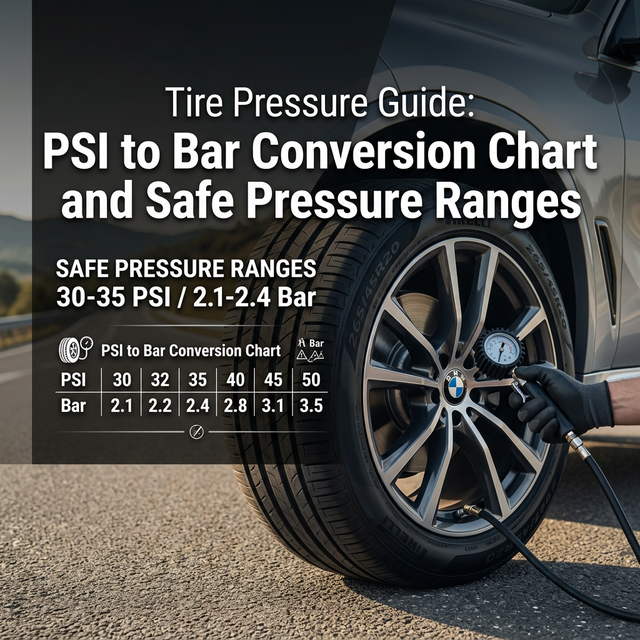
Tire Pressure Guide: PSI to Bar Conversion
Convert tire pressure between PSI, bar, and kPa. Learn recommended pressures for cars, bikes, and trucks, plus seasonal adjustment tips for safe driving.
Related across Convertz
Country guides, key terms, and rate history that connect to this article.
Glossary
- Dynamic Currency Conversion (DCC)Dynamic Currency Conversion (DCC) is a service offered at point-of-sale terminals and ATMs…
- Wire TransferA wire transfer is a bank-to-bank electronic transfer of funds, typically settling same-da…
- Spot RateThe spot rate is the current market exchange rate at which a currency pair trades for imme…