Crypto Wallet Types: Hot vs Cold Storage Explained
Understand the different types of crypto wallets — hot wallets, cold wallets, hardware wallets, and more. Learn which storage method is right for your needs.
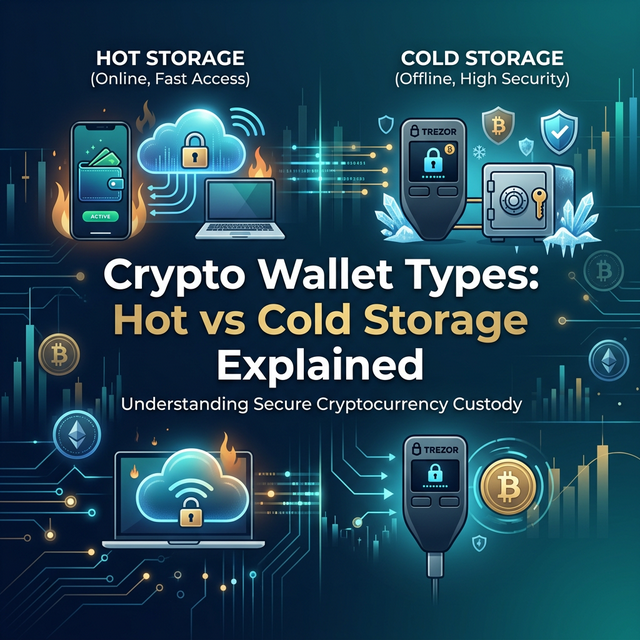
Why Your Wallet Choice Matters
In the world of cryptocurrency, your wallet is not just where you store your assets — it is your bank, your identity, and your security system all in one. Choosing the right wallet type can mean the difference between keeping your crypto safe and losing it to a hack, a scam, or a simple mistake.
This guide explains the different types of crypto wallets, their pros and cons, and which combination makes sense for different situations.
Understanding How Wallets Work
First, a common misconception: crypto wallets do not actually "store" your cryptocurrency. Your coins and tokens exist on the blockchain. What your wallet stores is the private key — a secret cryptographic code that proves you own the assets and authorises transactions.
Public key (your address): Like your email address. Safe to share. People send crypto to it.
Private key: Like your password. Never share it. Whoever has it controls the assets.
Your wallet is essentially a tool for managing your private keys and signing transactions.
Hot Wallets (Software Wallets)
What They Are
Hot wallets are software applications connected to the internet. They run on your phone, computer, or as browser extensions.
Types of Hot Wallets
Desktop wallets: Software installed on your computer (Exodus, Electrum).
Mobile wallets: Apps on your smartphone (Trust Wallet, Coinbase Wallet).
Browser extension wallets: Extensions in your web browser (MetaMask, Phantom).
Web wallets: Accessed through a website, often provided by exchanges (Coinbase, Binance).
Popular Hot Wallets
- MetaMask: The most popular Ethereum wallet. Browser extension and mobile app. Essential for interacting with Ethereum DeFi and NFTs. Supports Ethereum and all EVM-compatible chains.
- Phantom: The leading Solana wallet. Clean interface, supports Solana DeFi and NFTs. Also now supports Ethereum and Bitcoin.
- Trust Wallet: Multi-chain mobile wallet supporting dozens of blockchains. Good for beginners who want a single app for multiple assets.
- Coinbase Wallet: Not the same as the Coinbase exchange. A self-custody wallet with good DeFi integration and beginner-friendly design.
- Convenient: Instant access for trading, DeFi, and daily transactions
- Free: Most hot wallets are free to download and use
- User-friendly: Designed for everyday use with intuitive interfaces
- DeFi compatible: Easily connect to decentralised applications
- Vulnerable to hacks: Internet connectivity exposes them to malware, phishing, and remote attacks
- Device dependency: If your device is compromised, your wallet is too
- Not ideal for large holdings: The convenience of being online comes with security tradeoffs
- Ledger Nano X: Supports 5,500+ cryptocurrencies. Bluetooth connectivity for mobile use. Secure element chip (same technology used in credit cards and passports). ~$150.
- Ledger Nano S Plus: Budget version of the Ledger. USB-C connection, no Bluetooth. Supports the same wide range of assets. ~$80.
- Trezor Model T: Touchscreen interface. Open-source firmware. Supports 1,000+ coins. ~$180.
- Trezor Safe 3: Newer model with a secure element chip. Competitive pricing. ~$80.
- Maximum security: Private keys never leave the device and are never exposed to the internet
- Immune to malware: Even if your computer is compromised, the hardware wallet remains secure
- Multi-asset support: Modern hardware wallets support thousands of different cryptocurrencies
- Physical verification: Transactions must be physically confirmed on the device
- Cost: $60-$200, compared to free hot wallets
- Less convenient: Must have the physical device to make transactions
- Learning curve: Setup and usage are more complex than hot wallets
- Physical risks: Can be lost, stolen, or damaged (but recoverable with the seed phrase)
- Effortless: No setup needed, no keys to manage
- Recovery options: If you forget your password, the exchange can help you recover access
- Integrated trading: Your assets are instantly available for trading
- Not your keys: The exchange controls your assets. If the exchange is hacked, freezes accounts, or goes bankrupt, you may lose everything.
- Counterparty risk: The FTX collapse in November 2022 demonstrated that even large, seemingly reputable exchanges can fail, taking customer funds with them.
- Target for hackers: Exchanges hold massive amounts of crypto, making them prime targets.
- Write down your recovery phrase on paper (never digitally) and store it in a secure, separate location from your device.
- Never share your private key or recovery phrase with anyone, ever. No legitimate service will ever ask for it.
- Verify all transaction addresses before confirming. Double-check at minimum the first and last few characters.
- Use unique, strong passwords for any wallet or exchange account.
- Enable two-factor authentication everywhere it is available.
- Be sceptical of links in emails, messages, and social media. Phishing is the most common way people lose crypto.
Pros
Cons
Best For
Active traders, DeFi users, and anyone who needs frequent access to their crypto. Keep only the amount you actively need in a hot wallet.
Cold Wallets (Hardware Wallets)
What They Are
Cold wallets store your private keys on a physical device that is never connected to the internet when not in active use. This air gap makes them virtually immune to remote hacking.
Types of Cold Wallets
Hardware wallets: Purpose-built devices (Ledger, Trezor) that look like USB drives. They sign transactions internally without exposing private keys.
Paper wallets: A printed record of your public and private keys. Extremely secure against digital threats but vulnerable to physical damage, loss, or theft. Largely obsolete now.
Steel/metal backups: Recovery phrases engraved or stamped onto metal plates. Fire-proof and water-proof. Used as backup for hardware wallets.
Popular Hardware Wallets
Pros
Cons
Best For
Long-term storage of significant holdings. Any amount you would be devastated to lose should be in cold storage.
Exchange Wallets (Custodial)
What They Are
When you buy crypto on an exchange like Coinbase, Binance, or Kraken, the exchange holds it in a wallet they control. You have an account balance, but the exchange holds the private keys.
Pros
Cons
Best For
Small amounts that you are actively trading. Move anything you are holding for the medium or long term to a self-custody wallet.
The Recommended Setup
For most crypto users, the optimal setup combines multiple wallet types:
Tier 1: Hardware Wallet (Cold Storage)
Store the majority of your holdings (80-90%) on a hardware wallet. This is your savings account. Assets here are secure against virtually all digital threats.
Tier 2: Hot Wallet (Active Use)
Keep a smaller portion (10-20%) in a hot wallet for DeFi, NFTs, and daily transactions. Treat this like your checking account — convenient but never hold more than you are comfortable risking.
Tier 3: Exchange Wallet (Trading)
Keep only what you need for active trading on exchanges. Withdraw to self-custody promptly after trading.
Critical Security Practices
Regardless of which wallet you use, these practices are essential:
Track the value of your holdings across all your wallets using tools like Convertz.app's crypto converter to keep a clear picture of your portfolio.
Disclaimer
This article is for educational and informational purposes only. Cryptocurrency investments and storage carry risks. The mention of specific products (Ledger, Trezor, MetaMask, etc.) is for informational purposes and does not constitute an endorsement. Always do your own research and choose security practices appropriate for your situation.
Bitcoin (BTC) Live Price
Check the live Bitcoin price in USD and convert any amount — prices refresh every 5 minutes from CoinGecko, aggregated across 1,000+ exchanges.
Tags

Andrew
·Founder of ConvertzBuilding free, accurate conversion tools for everyone. All content is AI-assisted and editorially reviewed for accuracy. Learn more about Convertz
Try Our Free Converters
Convert currencies, cryptocurrencies, units, and files instantly with our free online tools.
Related Articles

The End of Financial Privacy? Programmable Money and Who Controls Your Cash
Digital money can be tracked, controlled, and frozen in ways physical cash never could. As CBDCs, stablecoins, and programmable payments replace cash, who gets to watch — and who gets to decide what you can spend? The privacy battle behind the future of money.

When Software Becomes the Customer: Inside the AI-Agent Economy
For all of history, every transaction had a human on at least one end. In 2026 that ended — AI agents now shop, negotiate, and pay on their own. Here is how the machine economy works, who is racing to build its payment rails, and what it means for you.

Gold Just Beat US Treasuries — The Hard-Asset Side of the New Money System
For the first time since 1996, the gold held by foreign central banks is worth more than their US Treasury holdings. As money goes digital, the world is quietly re-anchoring to hard assets — gold, silver, copper, uranium. Here is the resource story behind the financial revolution.
Related across Convertz
Country guides, key terms, and rate history that connect to this article.