Audio Format Guide: MP3, WAV, FLAC, and AAC Explained
Comprehensive guide to audio formats. Understand the differences between MP3, WAV, FLAC, AAC, and OGG for music, podcasts, and production.
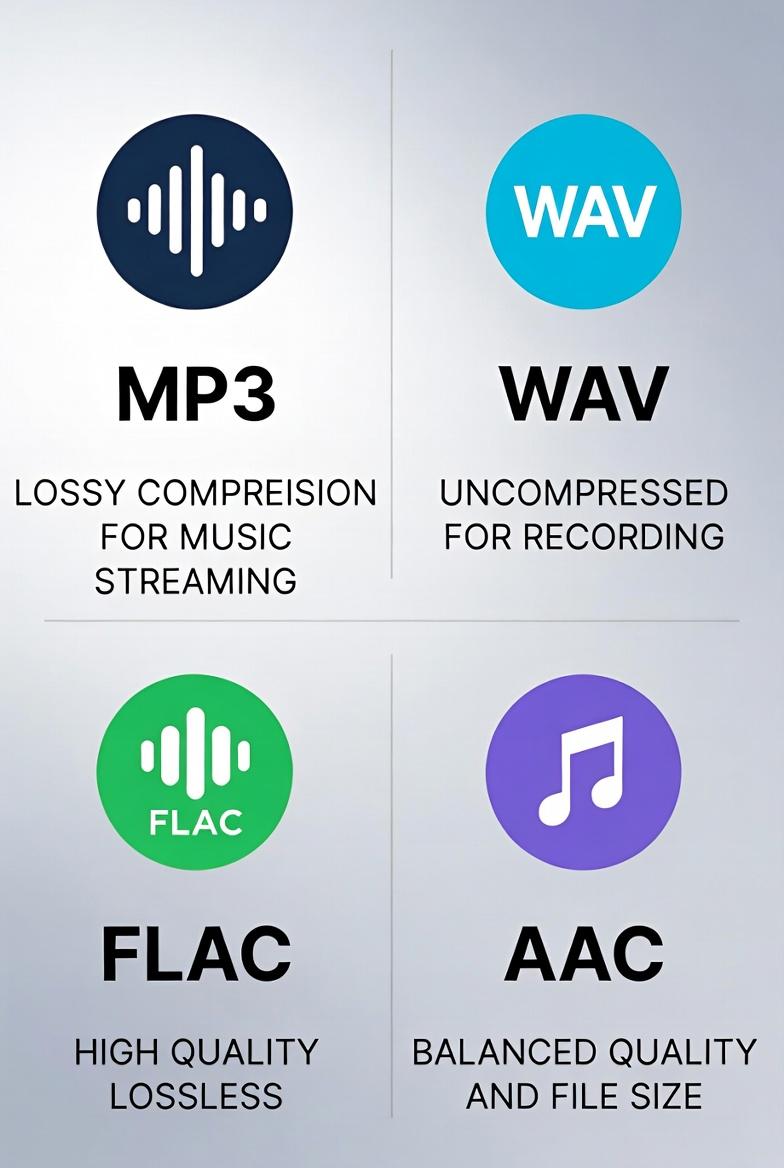
Understanding Audio Formats
Audio formats fall into three categories: uncompressed, lossless compressed, and lossy compressed. Here's what you need to know.
Audio Format Categories
Uncompressed (WAV, AIFF)
- Complete audio data preserved
- Largest files
- Studio/production quality
- Full quality, smaller than uncompressed
- Reversible compression
- Audiophile preferred
- Removes "inaudible" data
- Much smaller files
- Good enough for most listening
- Universal compatibility
- Small file sizes
- Adjustable quality (bitrate)
- Plays on everything
- Lossy (some quality loss)
- Limited compared to AAC at same bitrate
- No surround sound
- Perfect quality (uncompressed)
- Universal compatibility
- Ideal for editing
- No processing artifacts Weaknesses:
- Huge file sizes (~10 MB/minute)
- No metadata support
- Overkill for listening Best For:
- Music production
- Sound design
- Archival masters
- Professional editing
- Perfect quality (lossless)
- 50-60% smaller than WAV
- Supports metadata
- Free and open Weaknesses:
- Limited device support
- Still larger than MP3
- Overkill for casual listening Best For:
- Music archiving
- High-end audio systems
- Quality-conscious listeners
- Better quality than MP3 at same bitrate
- Default for iTunes/Apple Music
- Supports more features
- Efficient streaming Weaknesses:
- Licensing complications
- Less universal than MP3
- Lossy compression Best For:
- Apple ecosystem
- Streaming services
- Mobile devices
- Free (no licensing)
- Better than MP3 at same bitrate
- Supports metadata
- Good for games/apps Weaknesses:
- Limited device support
- Not mainstream adoption
- Lossy compression
- Uncompressed for editing
- Convert to other formats for distribution
- Preserves full quality
- Can convert to anything later
- Smaller than WAV
- Virtually indistinguishable from lossless
- Compatible with everything
- Small files
- Wide compatibility
- Good quality at lower bitrates
- Voice doesn't need high bitrate
- Maximum compatibility
- Small files for downloading
- WAV → MP3: Normal, expected
- FLAC → MP3: Fine, no quality loss vs WAV
- MP3 → AAC: Quality degradation
- Avoid re-encoding lossy files
- MP3 → FLAC: Pointless
- Quality already lost, just bigger file
- Standard for music
- Studio masters
- Audiophile releases
- CD quality is plenty
Lossless Compressed (FLAC, ALAC)
Lossy Compressed (MP3, AAC, OGG)
The Major Formats
MP3 (MPEG Audio Layer 3)
The Universal Standard
Most widely supported audio format:
Strengths:
Weaknesses:
Bitrate Guide:
| Bitrate | Quality | Use Case | ||
| 320 kbps | High | Music collections | ||
| 256 kbps | Good | General listening | ||
| 192 kbps | Acceptable | Podcasts | ||
| 128 kbps | Low | Voice only | ||
| Format | Type | Quality | Size | Compatibility |
| WAV | Uncompressed | Perfect | Huge | Universal |
| FLAC | Lossless | Perfect | Large | Limited |
| MP3 | Lossy | Good | Small | Universal |
| AAC | Lossy | Better | Small | Good |
| OGG | Lossy | Good | Small | Limited |
Choosing the Right Format
For Music Production
Use WAV or AIFF
For Music Archiving
Use FLAC
For General Listening
Use MP3 320 kbps or AAC 256 kbps
For Streaming/Sharing
Use AAC or MP3
For Podcasts
Use MP3 128-192 kbps
Converting Between Formats
Lossless to Lossy
Lossy to Lossy
Lossy to Lossless
Best Practice
Always keep original files and convert copies.
Sample Rates and Bit Depth
Common Settings
CD Quality: 44.1 kHz, 16-bit
High Resolution: 96 kHz, 24-bit
Voice/Podcast: 44.1 kHz, 16-bit
Convert Your Audio
Use our free audio converter to transform between MP3, WAV, OGG, AAC, and more. Maintain quality while changing formats.
Free File Converter
Convert images, audio, video, and documents in your browser — no upload, no sign-up, completely private.

Andrew
·Founder of ConvertzBuilding free, accurate conversion tools for everyone. All content is AI-assisted and editorially reviewed for accuracy. Learn more about Convertz
Try Our Free Converters
Convert currencies, cryptocurrencies, units, and files instantly with our free online tools.
Related Articles

The End of Financial Privacy? Programmable Money and Who Controls Your Cash
Digital money can be tracked, controlled, and frozen in ways physical cash never could. As CBDCs, stablecoins, and programmable payments replace cash, who gets to watch — and who gets to decide what you can spend? The privacy battle behind the future of money.

When Software Becomes the Customer: Inside the AI-Agent Economy
For all of history, every transaction had a human on at least one end. In 2026 that ended — AI agents now shop, negotiate, and pay on their own. Here is how the machine economy works, who is racing to build its payment rails, and what it means for you.

Gold Just Beat US Treasuries — The Hard-Asset Side of the New Money System
For the first time since 1996, the gold held by foreign central banks is worth more than their US Treasury holdings. As money goes digital, the world is quietly re-anchoring to hard assets — gold, silver, copper, uranium. Here is the resource story behind the financial revolution.
Related across Convertz
Country guides, key terms, and rate history that connect to this article.
Country guides
Glossary
- IBAN (International Bank Account Number)An IBAN is a standardized international format for bank account numbers, used across 80+ c…
- Mid-Market RateThe mid-market rate is the midpoint between the buy (bid) and sell (ask) price of a curren…
- Pip (Forex)A pip ("percentage in point") is the smallest standard price increment for a currency pair…
Rate history
- USD/ZAR historyUSD/ZAR is one of the world's most volatile major emerging-market pairs, with daily ranges often 1-2% and rare episodes of 5%+ moves
- NZD/USD historyNZD/USD ("Kiwi" in forex slang) is the second of the major commodity-currency pairs after AUD/USD — heavily linked to global dairy prices, Chinese consumer demand, and global risk sentiment